Download CyberArk Defender-PAM.PAM-DEF.Actual4Test.2026-11-10.349q.vcex
| Vendor: | CyberArk |
| Exam Code: | PAM-DEF |
| Exam Name: | CyberArk Defender-PAM |
| Date: | Nov 10, 2026 |
| File Size: | 2 MB |
How to open VCEX files?
Files with VCEX extension can be opened by ProfExam Simulator.
Purchase
Coupon: TAURUSSIM_20OFF
Discount: 20%
Demo Questions
Question 1
When are external vault users and groups synchronized by default?
- They are synchronized once every 24 hours between 7 PM and 12 AM.
- They are not synchronized according to a specific schedule.
- They are synchronized every 2 hours.
- They are synchronized once every 24 hours between 1 AM and 5 AM. Most Voted
Correct answer: D
Question 2
In PVWA, you are attempting to play a recording made of a session by user jsmith, but there is no option to
"Fast Forward" within the video. It plays and only allows you to skip between commands instead. You are also unable to download the video.
What could be the cause?
- You need to update the recorder settings in the platform to enable screen capture every 10000 ms or less.
- You do not have the "View Audit" permission on the safe where the account is stored.
- Recording is of a PSM for SSH session.
- The browser you are using is out of date and needs an update to be supported.
Correct answer: D
Question 3
If a user is a member of more than one group that has authorizations on a safe, by default that user is granted________.
- only those permissions that exist on the group added to the safe first.
- the cumulative permissions of all groups to which that user belongs.
- only those permissions that exist in all groups to which the user belongs.
- the vault will not allow this situation to occur.
Correct answer: A
Question 4
Which methods can you use to add a user directly to the Vault Admin Group? (Choose three.)
- REST API
- PrivateArk Client
- PACLI
- PVWA
- Active Directory
- Sailpoint
Correct answer: A, B, C
Explanation:
ExplanationTo add a user directly to the Vault Admin Group in CyberArk, you can use the following methods:* REST API: The REST API allows for programmatic management of users and groups within the Vault, including adding users to the Vault Admin Group1.* PrivateArk Client: The PrivateArk Client provides a graphical interface for managing users and groups, and it can be used to add users directly to the Vault Admin Group2.* PACLI: The PACLI (Privileged Access Command Line Interface) is a command-line tool that enables administrators to manage the Vault, including adding users to groups2.These methods provide different ways to manage users and their group memberships within the CyberArk Vault, offering flexibility for administrators to choose the most suitable approach for their needs.References:* CyberArk's official documentation on using the REST API to manage users and groups1.* Information on managing users and groups through the PrivateArk Client and PACLI2. Explanation
To add a user directly to the Vault Admin Group in CyberArk, you can use the following methods:
* REST API: The REST API allows for programmatic management of users and groups within the Vault, including adding users to the Vault Admin Group1.
* PrivateArk Client: The PrivateArk Client provides a graphical interface for managing users and groups, and it can be used to add users directly to the Vault Admin Group2.
* PACLI: The PACLI (Privileged Access Command Line Interface) is a command-line tool that enables administrators to manage the Vault, including adding users to groups2.
These methods provide different ways to manage users and their group memberships within the CyberArk Vault, offering flexibility for administrators to choose the most suitable approach for their needs.
References:
* CyberArk's official documentation on using the REST API to manage users and groups1.
* Information on managing users and groups through the PrivateArk Client and PACLI2.
Question 5
Which of the following Privileged Session Management (PSM) solutions support live monitoring of active sessions?
- PSM (i.e., launching connections by clicking on the connect button in the Password Vault Web Access (PVWA)
- PSM for Windows (previously known as RDP Proxy)
- PSM for SSH (previously known as PSM-SSH Proxy)
- All of the above
Correct answer: D
Explanation:
ExplanationAccording to the web search results, all of the Privileged Session Management (PSM) solutions support live monitoring of active sessions. PSM, PSM for Windows, and PSM for SSH enable authorized users to monitor active sessions from their workstation and take part in controlling these sessions. Users can also suspend or terminate active sessions based on their group assignment. By default, active session monitoring is enabled at system level for all authorized users, and can be disabled at platform level. Active session monitoring can also be disabled at system level, but when it is disabled, it cannot be enabled at platform level. PSM can automatically suspend or terminate sessions when notified by PTA or a third party threat analytics tool1. Authorized users monitor or terminate an active session using the same connection method (RDP file or HTML5 Gateway) as the end user Explanation
According to the web search results, all of the Privileged Session Management (PSM) solutions support live monitoring of active sessions. PSM, PSM for Windows, and PSM for SSH enable authorized users to monitor active sessions from their workstation and take part in controlling these sessions. Users can also suspend or terminate active sessions based on their group assignment. By default, active session monitoring is enabled at system level for all authorized users, and can be disabled at platform level. Active session monitoring can also be disabled at system level, but when it is disabled, it cannot be enabled at platform level. PSM can automatically suspend or terminate sessions when notified by PTA or a third party threat analytics tool1. Authorized users monitor or terminate an active session using the same connection method (RDP file or HTML5 Gateway) as the end user
Question 6
Which usage can be added as a service account platform?
- Loosely Connected Devices
- Kerberos Tokens
- IIS Application Pools
- PowerShell Libraries
Correct answer: A
Question 7
An auditor initiates a live monitoring session to PSM server to view an ongoing live session.
When the auditor's machine makes an RDP connection the PSM server, which user will be used?
- PSMAdminConnect
- PSMConnect
- Credentials stored in the Vault for the target machine
- Shadowuser
Correct answer: A
Question 8
How much disk space do you need on a server to run a full replication with PAReplicate?
- 500 GB
- 1 TB
- same as disk size on Satellite Vault
- at least the same disk size as the Primary Vault
Correct answer: D
Explanation:
ExplanationWhen running a full replication with PAReplicate, it is essential to have at least the same amount of disk space on the server as the disk size of the Primary Vault. This ensures that there is sufficient space to replicate all the data from the Primary Vault without any issues. The disk space should be equal to or larger than the total size of the data being replicated to accommodate the full backup1.References:* CyberArk Docs: Install the Vault Backup Utility Explanation
When running a full replication with PAReplicate, it is essential to have at least the same amount of disk space on the server as the disk size of the Primary Vault. This ensures that there is sufficient space to replicate all the data from the Primary Vault without any issues. The disk space should be equal to or larger than the total size of the data being replicated to accommodate the full backup1.
References:
* CyberArk Docs: Install the Vault Backup Utility
Question 9
For Digital Vault Cluster in a high availability configuration, how does the cluster determine if a node is down?
- The heartbeat s no longer detected on the private network.
- The shared storage array is offline.
- An alert is generated in the Windows Event log.
- The Digital Vault Cluster does not detect a node failure.
Correct answer: A
Explanation:
ExplanationIn a Digital Vault Cluster environment, each node has a Cluster Vault Manager (CVM) service that monitors the local resources and the status of the other node via a private network1. The CVM service sends a heartbeat signal to the other node every few seconds to check its availability2. If the heartbeat is not detected for a certain period of time, the CVM service assumes that the other node is down and triggers a failover process3. The failover process involves shutting down the resources on the failed node and starting them on the available node4. References: Digital Vault Cluster environment, CyberArk High-Availability Vault Cluster, Manage the CyberArk Digital Cluster Vault Server, Local resources failover process Explanation
In a Digital Vault Cluster environment, each node has a Cluster Vault Manager (CVM) service that monitors the local resources and the status of the other node via a private network1. The CVM service sends a heartbeat signal to the other node every few seconds to check its availability2. If the heartbeat is not detected for a certain period of time, the CVM service assumes that the other node is down and triggers a failover process3. The failover process involves shutting down the resources on the failed node and starting them on the available node4. References: Digital Vault Cluster environment, CyberArk High-Availability Vault Cluster, Manage the CyberArk Digital Cluster Vault Server, Local resources failover process
Question 10
What is the correct process to install a custom platform from the CyberArk Marketplace?
- Locate the custom platform in the Marketplace and click Import.
- Download the platform from the Marketplace and import it using the PVWA.
- Contact CyberArk Support for guidance on how to import the platform.
- Duplicate an existing platform and align the setting to match the platform from the Marketplace.
Correct answer: B
Explanation:
ExplanationThe correct process to install a custom platform from the CyberArk Marketplace involves downloading the platform package from the Marketplace and then importing it using the Privileged Vault Web Access (PVWA). This process allows you to add new platforms that are not included in the default installation directly into the CyberArk Privileged Access Manager (PAM) - Self-Hosted1.References:* CyberArk Docs - Add New Platforms1* CyberArk Docs - Manage platforms2 Explanation
The correct process to install a custom platform from the CyberArk Marketplace involves downloading the platform package from the Marketplace and then importing it using the Privileged Vault Web Access (PVWA). This process allows you to add new platforms that are not included in the default installation directly into the CyberArk Privileged Access Manager (PAM) - Self-Hosted1.
References:
* CyberArk Docs - Add New Platforms1
* CyberArk Docs - Manage platforms2
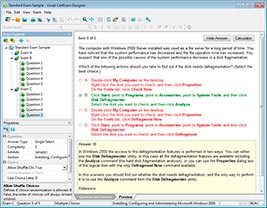
HOW TO OPEN VCE FILES
Use VCE Exam Simulator to open VCE files
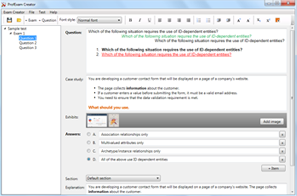
HOW TO OPEN VCEX FILES
Use ProfExam Simulator to open VCEX files
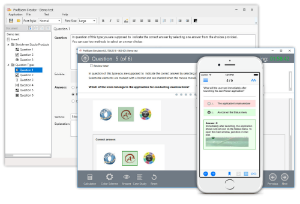
ProfExam at a 20% markdown
You have the opportunity to purchase ProfExam at a 20% reduced price
Get Now!