Download SAP Certified Associate - Data Engineer - Data Fabric.C_BW4H_2404.Actual4Test.2026-05-25.101q.vcex
| Vendor: | SAP |
| Exam Code: | C_BW4H_2404 |
| Exam Name: | SAP Certified Associate - Data Engineer - Data Fabric |
| Date: | May 25, 2026 |
| File Size: | 665 KB |
How to open VCEX files?
Files with VCEX extension can be opened by ProfExam Simulator.
Purchase
Coupon: TAURUSSIM_20OFF
Discount: 20%
Demo Questions
Question 1
Where can you automatically generate a process chain?
- Form a data flow objetc
- Within the process chain maintance
- from a streaming enable DataSource
- Within the process chain editor app
Correct answer: A
Question 2
Which objects in SAP BW/4HANA allow you to use both fields InfoObjects in their definition? Note: There are 3 correct answers to this question.
- Hierarchy
- InfoObject type Key Figure
- Open ODS View
- DataStore Object (advanced)
- Composite Provider
Correct answer: C, D, E
Explanation:
* Open ODS View (Answer C):* Supports fields and InfoObjects, enabling flexibility in hybrid data modeling.* DataStore Object (Advanced) (Answer D):* Advanced DSOs allow combining fields and InfoObjects for data storage and reporting.* Composite Provider (Answer E):* Composite Providers integrate both fields and InfoObjects for dynamic data consumption.* Hierarchy (Option A):Hierarchies are specific to InfoObjects.* InfoObject Key Figure (Option B):Key figures cannot directly mix fields and InfoObjects.Incorrect Options:References:* SAP BW/4HANA Modeling Guide* SAP Help Portal - Hybrid Data Modeling with Fields and InfoObjects * Open ODS View (Answer C):
* Supports fields and InfoObjects, enabling flexibility in hybrid data modeling.
* DataStore Object (Advanced) (Answer D):
* Advanced DSOs allow combining fields and InfoObjects for data storage and reporting.
* Composite Provider (Answer E):
* Composite Providers integrate both fields and InfoObjects for dynamic data consumption.
* Hierarchy (Option A):Hierarchies are specific to InfoObjects.
* InfoObject Key Figure (Option B):Key figures cannot directly mix fields and InfoObjects.
Incorrect Options:References:
* SAP BW/4HANA Modeling Guide
* SAP Help Portal - Hybrid Data Modeling with Fields and InfoObjects
Question 3
Which feature of a DataStore object (advanced) should be made available to improve the performance for data analysis?
- Snapshot Support
- Partitioning
- Inventory Management
- ChangeLog
Correct answer: B
Question 4
"For InfoObject ADDRESS, the High Cardinality flag has been set. However, ADDRESS has an attribute CITY without the high Cardinality flag." What is the effect on SID values in this scenario?
- SID values are generated when data for infoObject ADDRESS is loadet
- SID values are not stored for InfoObject ADDRESS
- SID values are generated when InfoObject ADDRESS is activated.
- SID values are generated when InfoObject CITY is activated
Correct answer: B
Question 5
Which layer of the layered scalable architecture (LSA++) of SAP BW/4HANA is designed as the main storage for harmonized consistent data?
- Open Operational Data Store layer
- Data Acquisition layer
- Flexible Enterprise Data Warehouse Core layer
- Virtual Data Mart layer
Correct answer: C
Explanation:
* Core Layer as Main Storage:* The Flexible Enterprise Data Warehouse Core layer stores harmonized and consistent data.* It ensures data quality, integration, and consistency across the enterprise.* Purpose of Core Layer:* Provides a single version of truth for enterprise data.* Acts as the primary layer for analytics and reporting.* Open ODS Layer (Option A):Focuses on raw data and real-time reporting.* Data Acquisition Layer (Option B):Handles the initial data ingestion process.* Virtual Data Mart Layer (Option D):Serves as a reporting layer, not for main storage.Incorrect Options:References:* SAP BW/4HANA LSA++ Overview* SAP Data Engineering Documentation * Core Layer as Main Storage:
* The Flexible Enterprise Data Warehouse Core layer stores harmonized and consistent data.
* It ensures data quality, integration, and consistency across the enterprise.
* Purpose of Core Layer:
* Provides a single version of truth for enterprise data.
* Acts as the primary layer for analytics and reporting.
* Open ODS Layer (Option A):Focuses on raw data and real-time reporting.
* Data Acquisition Layer (Option B):Handles the initial data ingestion process.
* Virtual Data Mart Layer (Option D):Serves as a reporting layer, not for main storage.
Incorrect Options:References:
* SAP BW/4HANA LSA++ Overview
* SAP Data Engineering Documentation
Question 6
Which recommendations should you follow to optimize BW query performance? Note: There are 3 correct answers to this question.
- Create linked components.
- Include fewer drill-down characteristics in the initial view.
- Use matory characteristic value variables.
- Use the include mode within filter restrictions.
- Use the dereference option for reusable filters.
Correct answer: B, C, D
Explanation:
Optimizing BW query performance is critical for ensuring efficient reporting and analysis in SAP BW/4HANA. Let's analyze each option to determine why B, C, and D are correct:* Explanation: Including too many drill-down characteristics in the initial view of a BW query can significantly impact performance. Each additional characteristic increases the complexity of the query and the volume of data retrieved, leading to slower response times. By limiting the number of characteristics in the initial view, you reduce the amount of data processed upfront, improving query performance. Optimizing BW query performance is critical for ensuring efficient reporting and analysis in SAP BW
/4HANA. Let's analyze each option to determine why B, C, and D are correct:
* Explanation: Including too many drill-down characteristics in the initial view of a BW query can significantly impact performance. Each additional characteristic increases the complexity of the query and the volume of data retrieved, leading to slower response times. By limiting the number of characteristics in the initial view, you reduce the amount of data processed upfront, improving query performance.
Question 7
You would like to highlight the deviation from predefined threshold values for a key figure visualize it in SAP Analysis for Microsoft Office. Which BW query feature do you use?
- Formula cell
- Exception
- Key figure property
- Condition
Correct answer: B
Explanation:
Exceptions in BW queries are used to define threshold-based highlighting for key figures.* Steps to Implement:* Define an exception in the BW query for the key figure.* Set threshold values and assign appropriate formatting (e.g., colors, symbols).* Enable visualization in SAP Analysis for Microsoft Office to display deviations.References:* SAP Help Portal - Exception Threshold Definition* SAP Analysis for Microsoft Office Documentation Exceptions in BW queries are used to define threshold-based highlighting for key figures.
* Steps to Implement:
* Define an exception in the BW query for the key figure.
* Set threshold values and assign appropriate formatting (e.g., colors, symbols).
* Enable visualization in SAP Analysis for Microsoft Office to display deviations.
References:
* SAP Help Portal - Exception Threshold Definition
* SAP Analysis for Microsoft Office Documentation
Question 8
Which join types can you use in a Composite Provider? Note: There are 3 correct answers to this question.
- Text join
- Temporal hierarchy join
- Full Outer join
- Referential join
- Inner join
Correct answer: A, D, E
Explanation:
In SAP Data Engineer - Data Fabric, specifically within the context of Composite Providers in SAP BW/4HANA, there are specific types of joins that can be utilized to combine data from different sources effectively. Let's break down each join type mentioned in the question:* Text Join (A):A text join is used when you need to include descriptive texts (like descriptions for codes) in your query results. This join type connects a primary table with a text table based on language- specific attributes. It ensures that textual information is appropriately linked and displayed alongside the main data. This is particularly useful in scenarios where reports or queries require human-readable descriptions.* Temporal Hierarchy Join (B):Temporal hierarchy joins are not supported in Composite Providers.These types of joins are typically used in other contexts within SAP systems, such as when dealing with time-dependent hierarchies in Advanced DataStore Objects (ADSOs) or other temporal data models.However, they do not apply to Composite Providers.* Full Outer Join (C):Full outer joins are not available in Composite Providers. Composite Providers primarily support inner joins, referential joins, and text joins. The full outer join, which includes all records when there is a match in either left or right table, is not part of the join options within this specific context.* Referential Join (D):Referential joins are optimized joins that assume referential integrity between the tables involved. This means that the system expects all relevant entries in one table to have corresponding entries in the other. If this condition is met, referential joins can significantly improve query performance by reducing the amount of data processed. They are commonly used in Composite Providers to efficiently combine data while maintaining performance.* Inner Join (E):Inner joins are fundamental join types used in Composite Providers. They return only the records that have matching values in both tables being joined. This is one of the most frequently used join types due to its straightforward nature and effectiveness in combining related datasets.* SAP BW/4HANA Documentation: The official documentation outlines the capabilities and limitations of Composite Providers, including the types of joins supported.* SAP Help Portal: Provides detailed explanations and examples of how different join types function within SAP BW/4HANA environments.* SAP Community Blogs & Forums: Discussions and expert insights often highlight practical use cases and best practices for implementing various join types in Composite Providers.References:By understanding these join types and their applications, data engineers can design efficient and effective data models within the SAP Data Engineer - Data Fabric framework, ensuring optimal performance and accurate data representation. In SAP Data Engineer - Data Fabric, specifically within the context of Composite Providers in SAP BW
/4HANA, there are specific types of joins that can be utilized to combine data from different sources effectively. Let's break down each join type mentioned in the question:
* Text Join (A):A text join is used when you need to include descriptive texts (like descriptions for codes) in your query results. This join type connects a primary table with a text table based on language- specific attributes. It ensures that textual information is appropriately linked and displayed alongside the main data. This is particularly useful in scenarios where reports or queries require human-readable descriptions.
* Temporal Hierarchy Join (B):Temporal hierarchy joins are not supported in Composite Providers.
These types of joins are typically used in other contexts within SAP systems, such as when dealing with time-dependent hierarchies in Advanced DataStore Objects (ADSOs) or other temporal data models.
However, they do not apply to Composite Providers.
* Full Outer Join (C):Full outer joins are not available in Composite Providers. Composite Providers primarily support inner joins, referential joins, and text joins. The full outer join, which includes all records when there is a match in either left or right table, is not part of the join options within this specific context.
* Referential Join (D):Referential joins are optimized joins that assume referential integrity between the tables involved. This means that the system expects all relevant entries in one table to have corresponding entries in the other. If this condition is met, referential joins can significantly improve query performance by reducing the amount of data processed. They are commonly used in Composite Providers to efficiently combine data while maintaining performance.
* Inner Join (E):Inner joins are fundamental join types used in Composite Providers. They return only the records that have matching values in both tables being joined. This is one of the most frequently used join types due to its straightforward nature and effectiveness in combining related datasets.
* SAP BW/4HANA Documentation: The official documentation outlines the capabilities and limitations of Composite Providers, including the types of joins supported.
* SAP Help Portal: Provides detailed explanations and examples of how different join types function within SAP BW/4HANA environments.
* SAP Community Blogs & Forums: Discussions and expert insights often highlight practical use cases and best practices for implementing various join types in Composite Providers.
References:By understanding these join types and their applications, data engineers can design efficient and effective data models within the SAP Data Engineer - Data Fabric framework, ensuring optimal performance and accurate data representation.
Question 9
Which layer of the layered scalable architecture (LSA++) of SAP BW/4HANA is designed as the main storage for harmonized consistent data?
- Virtual Data Mart layer
- Open Operational Data Store layer
- Data Acquisition layer
- Flexible Enterprise Data Warehouse Core layer
Correct answer: D
Question 10
For a BW query, you want to have the first month of the current quarter as a default value for an input- ready BW variable for the characteristic OCALMONTH.
Which processing type do you use?
- Replacement Path
- Customer Exit
- Manuel Input with default value
- Manual Input with offset value
Correct answer: B
Question 11
A user has the analysis authorization for the Controlling Areas 1000 2000.
In the InfoProvider there are records for Controlling Areas 1000 2000 3000 4000. The user starts a data preview on the InfoProvider.
Which data will be displayed?
- Data for Controlling Areas 1000 2000
- Only the aggregated total of all Controlling Areas
- No data for any of the Controlling Areas
- Data for Controlling Areas 1000 2000 the aggregated total of 3000 4000
Correct answer: A
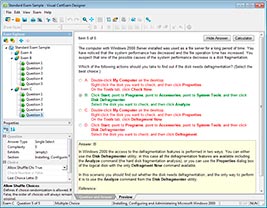
HOW TO OPEN VCE FILES
Use VCE Exam Simulator to open VCE files
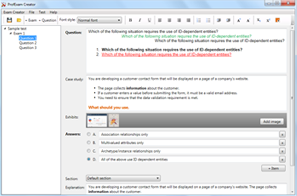
HOW TO OPEN VCEX FILES
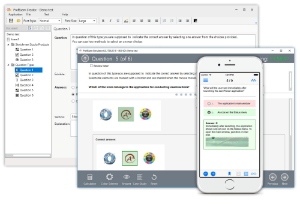
Use ProfExam Simulator to open VCEX files
ProfExam at a 20% markdown
You have the opportunity to purchase ProfExam at a 20% reduced price
Get Now!