Download SAP Certified Associate - SAP Build Work Zone - Implementation and Administration.C_WZADM_2404.Pass4Success.2026-10-06.35q.vcex
| Vendor: | SAP |
| Exam Code: | C_WZADM_2404 |
| Exam Name: | SAP Certified Associate - SAP Build Work Zone - Implementation and Administration |
| Date: | Oct 06, 2026 |
| File Size: | 239 KB |
How to open VCEX files?
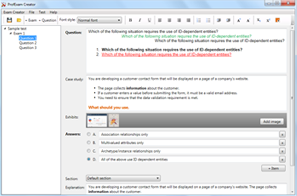
Files with VCEX extension can be opened by ProfExam Simulator.
Purchase
Coupon: TAURUSSIM_20OFF
Discount: 20%
Demo Questions
Question 1
In which of the following product setup steps are role collections created?
- Run Booster
- Check prerequisites
- Perform Post-Booster
- Run Work Zone Configurator
Correct answer: C
Explanation:
Role collections are created in the Perform Post-Booster step of the product setup. This step involves running the Work Zone Configurator, which creates the role collections for SAP Build Work Zone and SAP SuccessFactors Work Zone.These role collections are used to assign authorizations to users and groups on the SAP BTP subaccount level1.Reference:1: Explaining the Provisioning of Users and Roles in SAP Build Work Zone, https://learning.sap.com/learning-journey/implement-and-administer-sap-build-work-zone/explaining-the-provisioning-of-users-and-roles-in-sap-build-work-zone_f81cff40-ea59-49fc-8c9e-65f68b63a812 Role collections are created in the Perform Post-Booster step of the product setup. This step involves running the Work Zone Configurator, which creates the role collections for SAP Build Work Zone and SAP SuccessFactors Work Zone.These role collections are used to assign authorizations to users and groups on the SAP BTP subaccount level1.Reference:1: Explaining the Provisioning of Users and Roles in SAP Build Work Zone, https://learning.sap.com/learning-journey/implement-and-administer-sap-build-work-zone/explaining-the-provisioning-of-users-and-roles-in-sap-build-work-zone_f81cff40-ea59-49fc-8c9e-65f68b63a812
Question 2
A user cannot access the administration console of SAP Build Work Zone.What could be a reason?
- Administrator permission in Digital Workspace Service is missing
- SAP BTP global account viewer role collection is missing
- SAP BTP subaccount viewer role collection is missing
- Space manager permission on SAP BTP subaccount level is missing
Correct answer: A
Explanation:
To access the administration console of SAP Build Work Zone, you need to have the administrator permission in Digital Workspace Service. This permission is granted by the company administrator or the area administrator of the site that you want to access. Without this permission, you will not see the Administration Console option under your avatar in the User Actions menu. The other options (B, C, and D) are not related to the administration console access, but to the SAP BTP account and subaccount level permissions that are required for setting up SAP Build Work Zone.Reference:SAP Build Work Zone, advanced edition - SAP Online HelpSAP Build Work Zone - Implementation and Administration To access the administration console of SAP Build Work Zone, you need to have the administrator permission in Digital Workspace Service. This permission is granted by the company administrator or the area administrator of the site that you want to access. Without this permission, you will not see the Administration Console option under your avatar in the User Actions menu. The other options (B, C, and D) are not related to the administration console access, but to the SAP BTP account and subaccount level permissions that are required for setting up SAP Build Work Zone.Reference:
SAP Build Work Zone, advanced edition - SAP Online Help
SAP Build Work Zone - Implementation and Administration
Question 3
What can you do using guided experience?
- Create workspaces using pre-built templates.
- Perform tasks through a multistep process that can span multiple systems.
- Modify the workpage content structure.
Correct answer: B
Explanation:
Guided experiences are workflow-based cards that help you perform specific tasks through a multistep process possibly spanning multiple systems. For example, you can use the Onboarding Guided Experience to provide a personalized journey for your new hires from the time they receive an offer letter to their first 90 days at your company. You can also use the Return to Workplace Guided Experience to plan a safe return to the workplace for your company employees.Reference:Guided Experiences | SAP Help PortalIllustrating Extensibility in SAP Build Work Zone Guided experiences are workflow-based cards that help you perform specific tasks through a multistep process possibly spanning multiple systems. For example, you can use the Onboarding Guided Experience to provide a personalized journey for your new hires from the time they receive an offer letter to their first 90 days at your company. You can also use the Return to Workplace Guided Experience to plan a safe return to the workplace for your company employees.Reference:
Guided Experiences | SAP Help Portal
Illustrating Extensibility in SAP Build Work Zone
Question 4
Which of the following characteristics applies to My Workspace, but not to other workspaces?
- External users have access to it.
- Other users cannot be invited.
- The layout can be based on templates.
- Multiple tabs can be created.
Correct answer: B
Explanation:
My Workspace is a personal workspace that only you can access and edit1.You cannot invite other users to join your My Workspace, unlike other workspaces that can be shared with internal or external users23.The layout of My Workspace can be based on templates, just like other workspaces1.You can also create multiple tabs in My Workspace, as well as in other workspaces1.Reference:1: SAP Build Work Zone, advanced edition - SAP Online Help, https://help.sap.com/docs/build-work-zone-advanced-edition/sap-build-work-zone-advanced-edition/workspaces-8ff3df94802449f3877af5c380b22c4b2: What are SAP Build Work Zone workspaces?|Summer Tutorial Series Lesson 3: Workspaces, https://blogs.sap.com/2022/10/04/what-are-sap-work-zone-workspaces-summer-tutorial-series-lesson-3-workspaces/3: Enhance the Digital Workplace Experience using SAP Work Zone -- Overview and Components, https://blogs.sap.com/2021/03/30/enhance-the-digital-workplace-experience-using-sap-work-zone-overview-and-components/ My Workspace is a personal workspace that only you can access and edit1.You cannot invite other users to join your My Workspace, unlike other workspaces that can be shared with internal or external users23.The layout of My Workspace can be based on templates, just like other workspaces1.You can also create multiple tabs in My Workspace, as well as in other workspaces1.Reference:1: SAP Build Work Zone, advanced edition - SAP Online Help, https://help.sap.com/docs/build-work-zone-advanced-edition/sap-build-work-zone-advanced-edition/workspaces-8ff3df94802449f3877af5c380b22c4b2: What are SAP Build Work Zone workspaces?|Summer Tutorial Series Lesson 3: Workspaces, https://blogs.sap.com/2022/10/04/what-are-sap-work-zone-workspaces-summer-tutorial-series-lesson-3-workspaces/3: Enhance the Digital Workplace Experience using SAP Work Zone -- Overview and Components, https://blogs.sap.com/2021/03/30/enhance-the-digital-workplace-experience-using-sap-work-zone-overview-and-components/
Question 5
What must you do to implement SAP Build Work Zone, advanced edition in a multi-tier landscape?
- Create multiple sites within a single subscription.
- Create multiple subscriptions in an SAP BTP subaccount.
- Create multiple services instances in an SAP BTP subaccount
- Create subscriptions in separate SAP BTP subaccounts.
Correct answer: D
Explanation:
To implement SAP Build Work Zone, advanced edition in a multi-tier landscape, you need to create subscriptions in separate SAP BTP subaccounts. This is because SAP Build Work Zone, advanced edition is a subscription-based service that requires a dedicated subaccount for each tenant. You cannot create multiple subscriptions or service instances in the same subaccount, nor can you create multiple sites within a single subscription. Each subscription represents a separate site with its own content, configuration, and users. By creating subscriptions in separate subaccounts, you can align your SAP Build Work Zone landscape with your core business system landscape and enable content transport across different tiers.Reference:Explaining the Planning Landscape for SAP Build Work ZoneGetting Started With SAP Build Work Zone To implement SAP Build Work Zone, advanced edition in a multi-tier landscape, you need to create subscriptions in separate SAP BTP subaccounts. This is because SAP Build Work Zone, advanced edition is a subscription-based service that requires a dedicated subaccount for each tenant. You cannot create multiple subscriptions or service instances in the same subaccount, nor can you create multiple sites within a single subscription. Each subscription represents a separate site with its own content, configuration, and users. By creating subscriptions in separate subaccounts, you can align your SAP Build Work Zone landscape with your core business system landscape and enable content transport across different tiers.Reference:
Explaining the Planning Landscape for SAP Build Work Zone
Getting Started With SAP Build Work Zone
Question 6
A user cannot login to SAP Build Work Zone.What could be a reason?
- SAP BTP subaccount viewer role collection is missing
- SAP BTP global account viewer role collection is missing
- Active default identity provider on SAP BTP subaccount level
- A shadow user does not exist on SAP BTP subaccount level
Correct answer: D
Explanation:
A shadow user is a user that is automatically created on the SAP BTP subaccount level when a user logs in to SAP Build Work Zone for the first time1.The shadow user is assigned the SAP BTP subaccount viewer role collection, which is required for accessing SAP Build Work Zone2. If a shadow user does not exist on the SAP BTP subaccount level, the user cannot login to SAP Build Work Zone. The other options are not valid reasons for the login issue, because:SAP BTP global account viewer role collection is not required for accessing SAP Build Work Zone2.Active default identity provider on SAP BTP subaccount level is a prerequisite for enabling SAP Build Work Zone3, but not a reason for the login issue.SAP BTP subaccount viewer role collection is automatically assigned to the shadow user2, so it is not missing unless the shadow user does not exist.Reference:1: Shadow Users2: SAP BTP Subaccount Viewer Role Collection3: Enable SAP Build Work Zone A shadow user is a user that is automatically created on the SAP BTP subaccount level when a user logs in to SAP Build Work Zone for the first time1.The shadow user is assigned the SAP BTP subaccount viewer role collection, which is required for accessing SAP Build Work Zone2. If a shadow user does not exist on the SAP BTP subaccount level, the user cannot login to SAP Build Work Zone. The other options are not valid reasons for the login issue, because:
SAP BTP global account viewer role collection is not required for accessing SAP Build Work Zone2.
Active default identity provider on SAP BTP subaccount level is a prerequisite for enabling SAP Build Work Zone3, but not a reason for the login issue.
SAP BTP subaccount viewer role collection is automatically assigned to the shadow user2, so it is not missing unless the shadow user does not exist.Reference:1: Shadow Users2: SAP BTP Subaccount Viewer Role Collection3: Enable SAP Build Work Zone
Question 7
Where are application tiles created and configured?
- Work Zone configurator +f/j
- Content Manager
- DWS administration console
- SAP BTP global account cockpit
Correct answer: B
Explanation:
Application tiles are created and configured in the Content Manager, which is a tool located in the Site Manager of SAP Build Work Zone. The Content Manager includes various editors that you can use to configure apps, groups, roles, and catalogs. Once configured, the app appears as a tile in the Applications page of your site - a single page that acts as an embedded launchpad. You can also implement custom visualizations for your app tiles, such as Static App Launcher and Dynamic App Launcher.Reference:7: Adding Apps to Your Site8: Add an SAPUI5 App to a Workpage in SAP Build Work Zone, advanced edition9: Implement Custom Visualization Application tiles are created and configured in the Content Manager, which is a tool located in the Site Manager of SAP Build Work Zone. The Content Manager includes various editors that you can use to configure apps, groups, roles, and catalogs. Once configured, the app appears as a tile in the Applications page of your site - a single page that acts as an embedded launchpad. You can also implement custom visualizations for your app tiles, such as Static App Launcher and Dynamic App Launcher.Reference:
7: Adding Apps to Your Site
8: Add an SAPUI5 App to a Workpage in SAP Build Work Zone, advanced edition
9: Implement Custom Visualization
Question 8
What can you use to assign role collections to users? (Choose three.)
- SAP Build Work Zone Content Manager
- Digital Workplace Service SCIM API
- Authorization & Trust Management Service API
- Admin UI of the SAP BTP subaccount cockpit
- Attribute mapping for the connected Identity Provider
Correct answer: B, D, E
Explanation:
This is a REST API based on the System for Cross-domain Identity Management (SCIM 2.0) specification that allows you to assign roles to users directly inside SAP Build Work Zone1.Admin UI of the SAP BTP subaccount cockpit: This is a graphical user interface that allows you to assign role collections to users on the SAP BTP subaccount level234.Attribute mapping for the connected Identity Provider: This is a configuration option that allows you to automatically create shadow users and map role collections based on the Groups assertion attribute from the connected Identity Provider1. This is a REST API based on the System for Cross-domain Identity Management (SCIM 2.0) specification that allows you to assign roles to users directly inside SAP Build Work Zone1.
Admin UI of the SAP BTP subaccount cockpit: This is a graphical user interface that allows you to assign role collections to users on the SAP BTP subaccount level234.
Attribute mapping for the connected Identity Provider: This is a configuration option that allows you to automatically create shadow users and map role collections based on the Groups assertion attribute from the connected Identity Provider1.
Question 9
Which SAP Build Work Zone administrator types require an assignment of a role collection? (Choose three.)
- Company administrator
- Sub-Workspace administrator
- Support administrator
- Workspace administrator
- Area administrator
Correct answer: A, C, D
Explanation:
SAP Build Work Zone administrator types are divided into three levels: company, workspace, and area. Each level has a corresponding role collection that needs to be assigned to the users who perform administrative tasks at that level. The company administrator role collection enables users to manage the overall SAP Build Work Zone service instance, such as creating workspaces, assigning workspace administrators, and configuring global settings. The support administrator role collection enables users to access the support portal and perform tasks such as viewing logs, monitoring performance, and managing incidents. The workspace administrator role collection enables users to manage a specific workspace, such as creating areas, assigning area administrators, and configuring workspace settings. The sub-workspace administrator and area administrator types do not require a role collection assignment, as they are created and managed within the SAP Build Work Zone content manager by the workspace administrator or the area administrator respectively.Reference:SAP Build Work Zone, advanced edition - SAP Online HelpExplaining the Provisioning of Users and Roles in SAP Build Work Zone SAP Build Work Zone administrator types are divided into three levels: company, workspace, and area. Each level has a corresponding role collection that needs to be assigned to the users who perform administrative tasks at that level. The company administrator role collection enables users to manage the overall SAP Build Work Zone service instance, such as creating workspaces, assigning workspace administrators, and configuring global settings. The support administrator role collection enables users to access the support portal and perform tasks such as viewing logs, monitoring performance, and managing incidents. The workspace administrator role collection enables users to manage a specific workspace, such as creating areas, assigning area administrators, and configuring workspace settings. The sub-workspace administrator and area administrator types do not require a role collection assignment, as they are created and managed within the SAP Build Work Zone content manager by the workspace administrator or the area administrator respectively.Reference:
SAP Build Work Zone, advanced edition - SAP Online Help
Explaining the Provisioning of Users and Roles in SAP Build Work Zone
Question 10
In Content Federation, the exposed content is integrated at which of the following levels?
- Role
- Persona
- Role collection
- User Group
Correct answer: A
Explanation:
Content Federation is a feature that allows SAP Build Work Zone to integrate content from remote content providers, such as SAP S/4HANA and SAP Business Suite. A remote content provider is a solution that exposes content that can be integrated in SAP Build Work Zone, such as apps, groups, catalogs, and roles. The integration of the exposed content is done at therole level. All content items related to these roles are also integrated and are visible in the runtime. For example, if an administrator of an SAP S/4HANA system exposes a business role with its assigned catalogs, groups, and applications, then SAP Build Work Zone can import this role and its related content and display it in a site. The end users who have access to this site can then launch the federated apps and groups from the site.Reference:3: Federation of Remote Content Providers[7]: Adding Apps to Your Site Content Federation is a feature that allows SAP Build Work Zone to integrate content from remote content providers, such as SAP S/4HANA and SAP Business Suite. A remote content provider is a solution that exposes content that can be integrated in SAP Build Work Zone, such as apps, groups, catalogs, and roles. The integration of the exposed content is done at therole level. All content items related to these roles are also integrated and are visible in the runtime. For example, if an administrator of an SAP S/4HANA system exposes a business role with its assigned catalogs, groups, and applications, then SAP Build Work Zone can import this role and its related content and display it in a site. The end users who have access to this site can then launch the federated apps and groups from the site.Reference:
3: Federation of Remote Content Providers
[7]: Adding Apps to Your Site
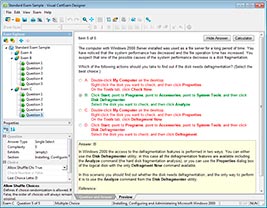
HOW TO OPEN VCE FILES
Use VCE Exam Simulator to open VCE files
HOW TO OPEN VCEX FILES
Use ProfExam Simulator to open VCEX files
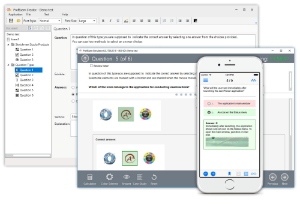
ProfExam at a 20% markdown
You have the opportunity to purchase ProfExam at a 20% reduced price
Get Now!