Download VMware Cloud Foundation 9.0 Administrator.2V0-17.25.DeepDumps.2026-10-21.32q.vcex
| Vendor: | VMware |
| Exam Code: | 2V0-17.25 |
| Exam Name: | VMware Cloud Foundation 9.0 Administrator |
| Date: | Oct 21, 2026 |
| File Size: | 451 KB |
How to open VCEX files?
Files with VCEX extension can be opened by ProfExam Simulator.
Purchase
Coupon: TAURUSSIM_20OFF
Discount: 20%
Demo Questions
Question 1
Which VMWare Cloud Foundation (VCF) Automation component provides a self-service catalog in the VM Apps tenant?
- VCF Service Broker
- VCF Config
- VCF Assembler
- VCF Operations Orchestrator
Correct answer: A
Explanation:
VCF Service Broker.In VMware Cloud Foundation (VCF) Automation:The VM Apps Tenant provides application and VM lifecycle services.A self-service catalog is delivered through the VCF Service Broker, which allows tenants to request and deploy catalog items such as blueprints, templates, and automation components. VCF Service Broker.
In VMware Cloud Foundation (VCF) Automation:
The VM Apps Tenant provides application and VM lifecycle services.
A self-service catalog is delivered through the VCF Service Broker, which allows tenants to request and deploy catalog items such as blueprints, templates, and automation components.
Question 2
A security team informed an administrator that a VMware vCenter root password was compromised. As a
precaution, the password was changed directly in vCenter.
What should an administrator do to regain management capability of this vCenter by VMWare Cloud Foundation
(VCF) Operations?
- Use the Rotate password function in VCF Operations.
- Enter the new root password using the Reset password function in VCF Operations.
- Enter the new root password using the Remediate password function in VCF Operations.
- Enter the new root password using the Update password function in VCF Operations.
Correct answer: C
Explanation:
Enter the new root password using the Remediate password function in VCF Operations.In VMware Cloud Foundation (VCF):SDDC Manager maintains all infrastructure passwords in its password vault.If a password is changed manually outside of VCF (as in this case, directly in vCenter), VCF will no longer be able to authenticate.To restore management capability, VCF must be updated with the new password.Why Remediate password?The Remediate password function is specifically designed for this scenario:It updates VCF's stored password when a component password was changed outside VCF.It synchronizes the new password back into the VCF Operations password vault.Why the other options are incorrect?Rotate passwordReset password➝Used when VCF changes the password itself. Not valid because the password was changed manually.Update password➝Used to reset password through VCF (mainly recovery), not to sync an externally changed password.➝Used to fix stored password mismatches for some components, but Remediate is the correct operation when password was changed out-of-band. Enter the new root password using the Remediate password function in VCF Operations.
In VMware Cloud Foundation (VCF):
SDDC Manager maintains all infrastructure passwords in its password vault.
If a password is changed manually outside of VCF (as in this case, directly in vCenter), VCF will no longer be able to authenticate.
To restore management capability, VCF must be updated with the new password.
Why Remediate password?
The Remediate password function is specifically designed for this scenario:
It updates VCF's stored password when a component password was changed outside VCF.
It synchronizes the new password back into the VCF Operations password vault.
Why the other options are incorrect?
Rotate password
Reset password
➝Used when VCF changes the password itself. Not valid because the password was changed manually.
Update password
➝Used to reset password through VCF (mainly recovery), not to sync an externally changed password.
➝Used to fix stored password mismatches for some components, but Remediate is the correct operation when password was changed out-of-band.
Question 3
An administrator is responsible for managing a VMware Cloud Foundation (VCF) Automation organization within a VCF instance. The administrator has been tasked with updating an VMware NSX VPC by editing the NSX Connectivity profile for an NSX Project. The current profile was generated automatically when the NSX VPC was created.
What is the impact of the administrator making this change to the NSX VPC?
- All NSX VPCs associated with the VCF Automation organization will be updated with the new VPCconnectivity profile.
- All NSX VPCs that use the default VPC connectivity profile will be updated with the new VPC connectivityprofile.
- Only the selected NSX VPC will be updated with the new VPC connectivity profile.
- Only the NSX VPCs within the corresponding NSX Project will be updated with the new VPC connectivityprofile.
Correct answer: C
Explanation:
Only the selected NSX VPC will be updated with the new VPC connectivity profile.In VMware Cloud Foundation (VCF) Automation:When an NSX VPC is created, VCF automatically generates a VPC-specific NSX Connectivity Profile for that VPC.This connectivity profile is scoped and bound to that individual VPC, not shared across projects or the entire organization.Editing the connectivity profile inside an NSX Project affects only the VPC that owns that profile.Why the other options are incorrect?All NSX VPCs in the organizationWrong. Profiles are not organization-wide.All NSX VPCs using the default profileIn this case, the VPC is not using the default profile—it has an automatically generated dedicated profile.All VPCs in the NSX ProjectEach VPC has its own connectivity profile. A change does not propagate to others. Only the selected NSX VPC will be updated with the new VPC connectivity profile.
In VMware Cloud Foundation (VCF) Automation:
When an NSX VPC is created, VCF automatically generates a VPC-specific NSX Connectivity Profile for that VPC.
This connectivity profile is scoped and bound to that individual VPC, not shared across projects or the entire organization.
Editing the connectivity profile inside an NSX Project affects only the VPC that owns that profile.
Why the other options are incorrect?
All NSX VPCs in the organization
Wrong. Profiles are not organization-wide.
All NSX VPCs using the default profile
In this case, the VPC is not using the default profile—it has an automatically generated dedicated profile.
All VPCs in the NSX Project
Each VPC has its own connectivity profile. A change does not propagate to others.
Question 4
An administrator is tasked to obtain an overview of all VMware vSAN and non-vSAN datastores within a VMware Cloud Foundation (VCF) environment using VCF Operations.
Where can the administrator access the required information?
- Data Protection & Recovery
- VCF Health
- Diagnostic Findings
- Storage Overview
Correct answer: D
Explanation:
Storage Overview.The Storage Overview dashboard within VCF Operations provides a unified view into the capacity, performance, and health of both vSAN and non-vSAN datastores across the entire VMware Cloud Foundation (VCF) environment. This allows administrators to track datastore utilization, latency, throughput, and availability from a single location.Why other options are incorrectData Protection & Recovery is related to backup and replication information, not a general overview of all datastores.VCF Health focuses on the health status of core SDDC components like SDDC Manager, vCenter, NSX, and hosts, rather than specific datastore metrics and overviews.Diagnostic Findings shows troubleshooting insights and specific issue details, not a holistic overview of the entire storage landscape. Storage Overview.
The Storage Overview dashboard within VCF Operations provides a unified view into the capacity, performance, and health of both vSAN and non-vSAN datastores across the entire VMware Cloud Foundation (VCF) environment. This allows administrators to track datastore utilization, latency, throughput, and availability from a single location.
Why other options are incorrect
Data Protection & Recovery is related to backup and replication information, not a general overview of all datastores.
VCF Health focuses on the health status of core SDDC components like SDDC Manager, vCenter, NSX, and hosts, rather than specific datastore metrics and overviews.
Diagnostic Findings shows troubleshooting insights and specific issue details, not a holistic overview of the entire storage landscape.
Question 5
An administrator has been tasked with deploying a new VMware Cloud Foundation (VCF) instance using a supported VCF Operations model that has the smallest possible resource footprint.
Which VCF Operations deployment model should the administrator use?
- Continuous Availability
- High Availability
- Simple
- Stretched Cluster
Correct answer: C
Explanation:
The administrator should use the Simple VCF Operations deployment model.The "Simple" deployment model for VMware Cloud Foundation is specifically designed to minimize resource consumption and complexity, making it the ideal choice when the smallest possible footprint is required. This model typically involves a single availability zone and deploys the management domain with the minimum supported number of hosts, often four for a production-ready environment, providing intrinsic vSphere High Availability without extensive cross-site infrastructure. It requires fewer physical servers, less networkinfrastructure, and simpler storage configurations compared to multi-site or highly resilient alternatives.In contrast, other deployment models inherently demand a larger resource footprint. A "Stretched Cluster" model, for instance, is designed for disaster recovery across two geographically separate sites. This necessitates at least two active sites, a witness host in a third location, dedicated high-speed inter-site networking, and a significantly higher total number of physical hosts and associated infrastructure to maintain data synchronization and failover capabilities. Similarly, while VCF inherently provides High Availability for its management components, if "High Availability" or "Continuous Availability" were interpreted as distinct deployment models requiring advanced multi-rack resilience, specific replication technologies, or features like vSphere Fault Tolerance across diverse failure domains, they would undoubtedly escalate hardware, networking, and configuration requirements beyond the "Simple" model.The "Simple" model prioritizes efficiency and cost-effectiveness by consolidating management components within a single, self-contained environment, avoiding the overhead of multi-site replication, witness appliances, and complex network routing needed for geographically distributed setups. This aligns with cloud computing principles of resource optimization, where infrastructure is scaled to meet current needs without overprovisioning for advanced resilience features when not explicitly required.For further research on VCF deployment models and their resource implications, refer to:VMware Cloud Foundation Architecture and Design Guide:https://docs.vmware.com/en/VMware-Cloud-Foundation/services/VMware-Cloud-Foundation-Architecture-and-Design-Guide/GUID-6286B161-59D2-4E57-BFBB-F72CE8A08151.htmlVMware Cloud Foundation Deployment Guide:https://docs.vmware.com/en/VMware-Cloud-Foundation/services/VMware-Cloud-Foundation-Deployment-Guide/GUID-8316B70A-7097-48F8-8686-6A6D14D1627C.html The administrator should use the Simple VCF Operations deployment model.
The "Simple" deployment model for VMware Cloud Foundation is specifically designed to minimize resource consumption and complexity, making it the ideal choice when the smallest possible footprint is required. This model typically involves a single availability zone and deploys the management domain with the minimum supported number of hosts, often four for a production-ready environment, providing intrinsic vSphere High Availability without extensive cross-site infrastructure. It requires fewer physical servers, less network
infrastructure, and simpler storage configurations compared to multi-site or highly resilient alternatives.
In contrast, other deployment models inherently demand a larger resource footprint. A "Stretched Cluster" model, for instance, is designed for disaster recovery across two geographically separate sites. This necessitates at least two active sites, a witness host in a third location, dedicated high-speed inter-site networking, and a significantly higher total number of physical hosts and associated infrastructure to maintain data synchronization and failover capabilities. Similarly, while VCF inherently provides High Availability for its management components, if "High Availability" or "Continuous Availability" were interpreted as distinct deployment models requiring advanced multi-rack resilience, specific replication technologies, or features like vSphere Fault Tolerance across diverse failure domains, they would undoubtedly escalate hardware, networking, and configuration requirements beyond the "Simple" model.
The "Simple" model prioritizes efficiency and cost-effectiveness by consolidating management components within a single, self-contained environment, avoiding the overhead of multi-site replication, witness appliances, and complex network routing needed for geographically distributed setups. This aligns with cloud computing principles of resource optimization, where infrastructure is scaled to meet current needs without overprovisioning for advanced resilience features when not explicitly required.
For further research on VCF deployment models and their resource implications, refer to:
VMware Cloud Foundation Architecture and Design Guide:https://docs.vmware.com/en/VMware-Cloud-Foundation/services/VMware-Cloud-Foundation-Architecture-and-Design-Guide/GUID-6286B161-59D2-4E57-BFBB-F72CE8A08151.html
VMware Cloud Foundation Deployment Guide:https://docs.vmware.com/en/VMware-Cloud-Foundation/services/VMware-Cloud-Foundation-Deployment-Guide/GUID-8316B70A-7097-48F8-8686-6A6D14D1627C.html
Question 6
Which three statements are characteristics of a VMware Cloud Foundation (VCF) private cloud? (Choose three.)
- VCF supports only the industry and regulatory compliance offered by the cloud service provider.
- VCF offers automation of operations and the ability to optimize network services.
- VCF supports the provisioning of both VMs and containers.
- VCF supports only vSAN storage technology.
- VCF offers manual scalability of the environment through configurations or custom scripts.
- VCF offers the ability to configure full isolation of organizations in the private cloud.
Correct answer: B, C, F
Explanation:
VMware Cloud Foundation (VCF) is designed to deliver a complete software-defined data center (SDDC) platform, enabling organizations to build and manage private clouds with cloud-like agility.Option B is correct because VCF fundamentally offers extensive automation. Its core component, SDDC Manager, automates the deployment, configuration, and lifecycle management of the entire SDDC stack (vSphere, vSAN, NSX-T). This includes patching, upgrading, and day-2 operations, significantly reducing manual effort. Furthermore, NSX-T Data Center, integral to VCF, provides advanced network services like micro-segmentation, load balancing, and firewalling, which can be optimized and automated through software-defined policies. Option C is correct because VCF supports the provisioning of both traditional virtual machines (VMs) and modern containerized applications. Built on vSphere, it natively handles VMs. With the integration of vSphere with Tanzu, VCF extends its capabilities to provision and manage Kubernetes clusters and containers directly on the same infrastructure, offering a unified platform for both traditional and cloud-native workloads.Option F is correct as VCF provides robust mechanisms for isolation, crucial for private clouds supporting multiple departments or organizations. NSX-T Data Center enables comprehensive network virtualization, micro-segmentation, and logical separation, allowing administrators to create fully isolated network segments for different tenants or applications. Combined with vSphere's resource pooling and role-based access control, this facilitates strong logical isolation and multi-tenancy within the private cloud environment.Option A is incorrect because in a VCF private cloud, the organization itself is responsible for ensuring industry and regulatory compliance. VCF provides the underlying infrastructure and tools (like logging, auditing, and secure configurations) that help meet these compliance requirements, rather than solely relying on a cloud service provider's offerings.Option D is incorrect because while vSAN is the primary and recommended storage solution for VCF's workload domains due to its HCI capabilities, VCF also supports external storage arrays, such as Fibre Channel, iSCSI, and NFS, for certain use cases and workload domain types. The statement "only vSAN" is therefore inaccurate.Option E is incorrect because VCF emphasizes automated scalability. SDDC Manager automates the process of expanding the environment by adding new hosts and integrating them into existing workload domains, updating configurations, and extending network services. This significantly reduces the need for manual configurations or custom scripts for scaling operations.For further research:VMware Cloud Foundation Official Documentation:https://docs.vmware.com/en/VMware-Cloud-Foundation/index.htmlVMware Cloud Foundation Product Page:https://www.vmware.com/products/cloud-foundation.htmlvSphere with Tanzu:https://docs.vmware.com/en/VMware-vSphere/7.0/com.vmware.vsphere.tanzu.doc/GUID-9D38662B-D7EF-43D4-A785-50207F1A031F.htmlNSX-T Data Center Overview:https://docs.vmware.com/en/VMware-NSX-T-Data-Center/4.1/nsxt-datacenter-overview.pdf VMware Cloud Foundation (VCF) is designed to deliver a complete software-defined data center (SDDC) platform, enabling organizations to build and manage private clouds with cloud-like agility.
Option B is correct because VCF fundamentally offers extensive automation. Its core component, SDDC Manager, automates the deployment, configuration, and lifecycle management of the entire SDDC stack (vSphere, vSAN, NSX-T). This includes patching, upgrading, and day-2 operations, significantly reducing manual effort. Furthermore, NSX-T Data Center, integral to VCF, provides advanced network services like micro-segmentation, load balancing, and firewalling, which can be optimized and automated through software-defined policies.
Option C is correct because VCF supports the provisioning of both traditional virtual machines (VMs) and modern containerized applications. Built on vSphere, it natively handles VMs. With the integration of vSphere with Tanzu, VCF extends its capabilities to provision and manage Kubernetes clusters and containers directly on the same infrastructure, offering a unified platform for both traditional and cloud-native workloads.
Option F is correct as VCF provides robust mechanisms for isolation, crucial for private clouds supporting multiple departments or organizations. NSX-T Data Center enables comprehensive network virtualization, micro-segmentation, and logical separation, allowing administrators to create fully isolated network segments for different tenants or applications. Combined with vSphere's resource pooling and role-based access control, this facilitates strong logical isolation and multi-tenancy within the private cloud environment.
Option A is incorrect because in a VCF private cloud, the organization itself is responsible for ensuring industry and regulatory compliance. VCF provides the underlying infrastructure and tools (like logging, auditing, and secure configurations) that help meet these compliance requirements, rather than solely relying on a cloud service provider's offerings.
Option D is incorrect because while vSAN is the primary and recommended storage solution for VCF's workload domains due to its HCI capabilities, VCF also supports external storage arrays, such as Fibre Channel, iSCSI, and NFS, for certain use cases and workload domain types. The statement "only vSAN" is therefore inaccurate.
Option E is incorrect because VCF emphasizes automated scalability. SDDC Manager automates the process of expanding the environment by adding new hosts and integrating them into existing workload domains, updating configurations, and extending network services. This significantly reduces the need for manual configurations or custom scripts for scaling operations.
For further research:
VMware Cloud Foundation Official Documentation:https://docs.vmware.com/en/VMware-Cloud-Foundation/index.html
VMware Cloud Foundation Product Page:https://www.vmware.com/products/cloud-foundation.html
vSphere with Tanzu:https://docs.vmware.com/en/VMware-vSphere/7.0/com.vmware.vsphere.tanzu.doc/GUID-9D38662B-D7EF-43D4-A785-50207F1A031F.html
NSX-T Data Center Overview:https://docs.vmware.com/en/VMware-NSX-T-Data-Center/4.1/nsxt-datacenter-overview.pdf
Question 7
An administrator is preparing to deploy a new VMware Cloud Foundation (VCF) fleet to an environment that does not have internet access.
Which two binaries must be uploaded to the VCF Installer appliance before initiating the deployment? (Choose two.)
- ESX
- VCF Operations
- NSX
- Lifecycle Manager
- Identity Broker
Correct answer: B, C
Explanation:
VCF Operations .NSX.When deploying a VCF Fleet (not a standard VCF deployment), the required binaries are different.A VCF Fleet deployment supports the new VCF 5.x architecture and requires:1. NSX binaryNeeded to deploy NSX networking for the Fleet management domain.VCF Operations binary.VCF Operations is now a required component during the Fleet deployment process.It must be preloaded into the installer when there is no internet access. VCF Operations .
NSX.
When deploying a VCF Fleet (not a standard VCF deployment), the required binaries are different.
A VCF Fleet deployment supports the new VCF 5.x architecture and requires:
1. NSX binary
Needed to deploy NSX networking for the Fleet management domain.
VCF Operations binary.
VCF Operations is now a required component during the Fleet deployment process.
It must be preloaded into the installer when there is no internet access.
Question 8
An administrator is responsible for managing a VMware Cloud Foundation (VCF) fleet. The administrator has been
tasked with creating a solution that allows Kubernetes development teams to complete the self-service creation of Active Directory (AD) accounts with the following requirements:
- Only users within the Development tenant should be able to create user accounts.
- Users must be able to create and destroy user accounts in the development AD only.
The administrator has already deployed a dedicated VCF Operations orchestrator for the Development tenant.
What four additional tasks must the administrator complete to meet the stated objective? (Choose four.)
- Configure the VCF Operations orchestrator integration to utilize the embedded VCF Operations orchestrator.
- Configure the VCF Operations orchestrator Active Directory plugin to connect to the production ActiveDirectory.
- Configure the VCF Operations orchestrator integration to connect to the dedicated VCF Operationsorchestrator.
- Publish the Active Directory User creation workflow to the self-service catalog in VCF Automation throughthe Content Hub.
- Create a Custom Resource object and select the appropriate VCF Operations orchestrator workflows forobject creation and destruction.
- Publish the Active Directory User creation action to the self-service catalog in VCF Automation through theContent Hub.
- Configure the VCF Operations orchestrator Active Directory plugin to connect to the development ActiveDirectory.
Correct answer: C, D, E, G
Explanation:
The objective is to enable Kubernetes development teams to self-service the creation and destruction of Active Directory (AD) accounts, specifically within a dedicated development AD and for users only within the Development tenant. A dedicated VCF Operations orchestrator for the Development tenant is already in place. To achieve this, four critical tasks must be completed:1. C. Configure the VCF Operations orchestrator integration to connect to the dedicated VCF Operations orchestrator.Justification: VMware Cloud Foundation (VCF) Automation (powered by vRealize Automation) serves as the self-service portal. To leverage the workflows residing within the dedicated VCF Operations orchestrator deployed for the Development tenant, VCF Automation must be explicitly integrated with this specific orchestrator instance. This integration allows VCF Automation to discover, import, and execute workflows from the dedicated orchestrator, ensuring that the development tenant's operations are isolated and routed correctly. Without this connection, VCF Automation would not be able to interact with the existing orchestrator.2. G. Configure the VCF Operations orchestrator Active Directory plugin to connect to the development Active Directory.Justification: The requirement clearly states that users must be able to create and destroy accounts "in the development AD only." For the VCF Operations orchestrator to perform these actions (user creation, deletion, password resets, etc.) on the correct directory, its Active Directory plugin must be configured to connect specifically to the development Active Directory domain controller. This ensures that operations initiated by the development teams do not impact or interact with any production AD environment, thereby maintaining strict isolation and adhering to security best practices.3. E. Create a Custom Resource object and select the appropriate VCF Operations orchestrator workflows for object creation and destruction.Justification: For comprehensive self-service lifecycle management, including both creation and destruction, a Custom Resource (formerly known as an XaaS Blueprint) is essential in VCF Automation. This Custom Resource defines the "Active Directory User" as a managed service item. Within this Custom Resource, the administrator must link specific VCF Operations orchestrator workflows: one for provisioning (e.g., "Create AD User") and another for de-provisioning (e.g., "Delete AD User"). This abstraction allows users to request an "AD User" without needing to know the underlying workflow details, and importantly, enables the "destroy" capability alongside creation, fulfilling the full lifecycle requirement.4. D. Publish the Active Directory User creation workflow to the self-service catalog in VCF Automation through the Content Hub.Justification: Once the Custom Resource (or a direct workflow if only creation was needed) for AD user management is defined (as per task E), it must be published to the VCF Automation self-service catalog via the Content Hub. This step makes the "Active Directory User" service consumable by the development teams. Users within the Development tenant, after being entitled to this catalog item, can then log into the VCF Automation portal and initiate the self-service creation or destruction of AD accounts, fulfilling the core objective of the task.Why other options are incorrect:Configure the VCF Operations orchestrator integration to utilize the embedded VCF Operations orchestrator. This contradicts the premise that a dedicated VCF Operations orchestrator for the Development tenant has already been deployed. The embedded orchestrator is typically for general VCF operations, not for tenant-specific isolation.Configure the VCF Operations orchestrator Active Directory plugin to connect to the production Active Directory. This directly violates the requirement that accounts should be managed "in the development AD only."Publish the Active Directory User creation action to the self-service catalog in VCF Automation through the Content Hub. VCF Automation publishes workflows or Custom Resources (blueprints derived from workflows) to the catalog, not raw "actions." Option D (publishing the workflow/Custom Resource) is the correct terminology for exposing a service.These four tasks (C, G, E, D) collaboratively establish the necessary integration, target the correct AD, define the self-service item with lifecycle management, and make it available to the users, thus meeting all stated objectives.Authoritative Links for further research:VMware Cloud Foundation Documentation: While specific to VCF, VCF Automation capabilities are largely based on vRealize Automation.VMware Cloud Foundation DocumentationvRealize Automation Integration with vRealize Orchestrator: Explains how vRA connects to vRO, which is applicable to VCF Automation and VCF Operations Orchestrator.Integrate vRealize Automation with vRealize OrchestratorConfiguring the Active Directory Plugin in vRealize Orchestrator (VCF Operations Orchestrator): Details how to set up the AD integration.Configure the Active Directory Plug-in for vRealize OrchestratorCreating Custom Resources (XaaS Blueprints) in vRealize Automation (VCF Automation): Explains how to define service items with provisioning and de-provisioning workflows.Extend vRealize Automation with custom resources and resource actionsPublishing Catalog Items (Content Hub): Describes how to make services available to users.Publish content to the service catalog The objective is to enable Kubernetes development teams to self-service the creation and destruction of Active Directory (AD) accounts, specifically within a dedicated development AD and for users only within the Development tenant. A dedicated VCF Operations orchestrator for the Development tenant is already in place. To achieve this, four critical tasks must be completed:
1. C. Configure the VCF Operations orchestrator integration to connect to the dedicated VCF Operations orchestrator.
Justification: VMware Cloud Foundation (VCF) Automation (powered by vRealize Automation) serves as the self-service portal. To leverage the workflows residing within the dedicated VCF Operations orchestrator deployed for the Development tenant, VCF Automation must be explicitly integrated with this specific orchestrator instance. This integration allows VCF Automation to discover, import, and execute workflows from the dedicated orchestrator, ensuring that the development tenant's operations are isolated and routed correctly. Without this connection, VCF Automation would not be able to interact with the existing orchestrator.
2. G. Configure the VCF Operations orchestrator Active Directory plugin to connect to the development Active Directory.
Justification: The requirement clearly states that users must be able to create and destroy accounts "in the development AD only." For the VCF Operations orchestrator to perform these actions (user creation, deletion, password resets, etc.) on the correct directory, its Active Directory plugin must be configured to connect specifically to the development Active Directory domain controller. This ensures that operations initiated by the development teams do not impact or interact with any production AD environment, thereby maintaining strict isolation and adhering to security best practices.
3. E. Create a Custom Resource object and select the appropriate VCF Operations orchestrator workflows for object creation and destruction.
Justification: For comprehensive self-service lifecycle management, including both creation and destruction, a Custom Resource (formerly known as an XaaS Blueprint) is essential in VCF Automation. This Custom Resource defines the "Active Directory User" as a managed service item. Within this Custom Resource, the administrator must link specific VCF Operations orchestrator workflows: one for provisioning (e.g., "Create AD User") and another for de-provisioning (e.g., "Delete AD User"). This abstraction allows users to request an "AD User" without needing to know the underlying workflow details, and importantly, enables the "destroy" capability alongside creation, fulfilling the full lifecycle requirement.
4. D. Publish the Active Directory User creation workflow to the self-service catalog in VCF Automation through the Content Hub.
Justification: Once the Custom Resource (or a direct workflow if only creation was needed) for AD user management is defined (as per task E), it must be published to the VCF Automation self-service catalog via the Content Hub. This step makes the "Active Directory User" service consumable by the development teams. Users within the Development tenant, after being entitled to this catalog item, can then log into the VCF Automation portal and initiate the self-service creation or destruction of AD accounts, fulfilling the core objective of the task.
Why other options are incorrect:
Configure the VCF Operations orchestrator integration to utilize the embedded VCF Operations orchestrator. This contradicts the premise that a dedicated VCF Operations orchestrator for the Development tenant has already been deployed. The embedded orchestrator is typically for general VCF operations, not for tenant-specific isolation.
Configure the VCF Operations orchestrator Active Directory plugin to connect to the production Active Directory. This directly violates the requirement that accounts should be managed "in the development AD only."
Publish the Active Directory User creation action to the self-service catalog in VCF Automation through the Content Hub. VCF Automation publishes workflows or Custom Resources (blueprints derived from workflows) to the catalog, not raw "actions." Option D (publishing the workflow/Custom Resource) is the correct terminology for exposing a service.
These four tasks (C, G, E, D) collaboratively establish the necessary integration, target the correct AD, define the self-service item with lifecycle management, and make it available to the users, thus meeting all stated objectives.
Authoritative Links for further research:
VMware Cloud Foundation Documentation: While specific to VCF, VCF Automation capabilities are largely based on vRealize Automation.
VMware Cloud Foundation Documentation
vRealize Automation Integration with vRealize Orchestrator: Explains how vRA connects to vRO, which is applicable to VCF Automation and VCF Operations Orchestrator.
Integrate vRealize Automation with vRealize Orchestrator
Configuring the Active Directory Plugin in vRealize Orchestrator (VCF Operations Orchestrator): Details how to set up the AD integration.
Configure the Active Directory Plug-in for vRealize Orchestrator
Creating Custom Resources (XaaS Blueprints) in vRealize Automation (VCF Automation): Explains how to define service items with provisioning and de-provisioning workflows.
Extend vRealize Automation with custom resources and resource actions
Publishing Catalog Items (Content Hub): Describes how to make services available to users.
Publish content to the service catalog
Question 9
An administrator is deciding on a storage solution to create the first management workload domain for a new VMware Cloud Foundation (VCF) instance.
Which three storage solutions can the administrator use as principal storage? (Choose three.)
- NVMe/TCP
- VMFS on Fibre Channel (FC)
- NFSv3
- vSAN OSA
- Virtual Volumes (vVols)
Correct answer: B, C, D
Explanation:
When deploying the first management workload domain in VMware Cloud Foundation (VCF), choosing the correct principal storage solution is crucial as it hosts the core VCF components, including SDDC Manager, vCenter Server, and NSX Manager. The principal storage must be reliable, performant, and fully supported by VCF for this critical infrastructure.Here's a detailed justification for the provided answer BCD:1. B. VMFS on Fibre Channel (FC): Fibre Channel is a traditional, high-performance, and highly reliable block storage protocol widely used in enterprise data centers. When formatted with VMware vSphere VMFS (Virtual Machine File System), it provides shared storage for virtual machines, enabling features like vMotion, DRS, and HA. VCF fully supports using VMFS datastores provisioned on Fibre Channel storage as principal storage for the management domain. This is a common and proven solution for robust VCF deployments requiring dedicated external storage.2. C. NFSv3: Network File System (NFS) is a distributed file system protocol that allows a user to access files over a network. NFSv3 (and NFSv4.1) datastores are fully supported as principal storage for the VCF management domain. NFS offers flexibility and can be a cost-effective shared storage solution, particularly for environments already leveraging network-attached storage (NAS).VMware's vSphere and, by extension, VCF, have long-standing support for NFS as a foundational datastore type.3. D. vSAN OSA: VMware vSAN Original Storage Architecture (OSA) is VMware's hyper-converged infrastructure (HCI) solution that pools local direct-attached storage from a cluster of ESXi hosts to create a shared datastore. vSAN is the recommended and often preferred principal storage solution for the VCF management domain due to its native integration with vSphere, simplified management, and ability to start small and scale. It converges compute and storage into a single layer, ideal for consistent and efficient VCF deployments.Why the other options are not suitable as principal storage for the initial VCF management domain:NVMe/TCP: NVMe over TCP (NVMe/TCP) is a newer transport protocol for NVMe-oF (NVMe over Fabrics) that allows NVMe-based storage to be shared over standard Ethernet networks. While vSphere can utilize VMFS on NVMe/TCP storage, VCF documentation for the initial management domain principal storage typically specifies broader categories like "VMFS on Fibre Channel" or "VMFS on iSCSI" (block storage), "NFS," or "vSAN." NVMe/TCP is a specific transport rather than a primary "storage solution" category often highlighted for the initial management domain compared to the established and explicitly listed options (FC, NFS, vSAN). The common and explicitly supported principal storage options for the management domain are traditional block (FC/iSCSI), file (NFS), or HCI (vSAN).Virtual Volumes (vVols): Virtual Volumes (vVols) are a storage framework that allows for more granular, VM-centric storage management by exposing capabilities of modern storage arrays directly to vSphere. While vVols are fully supported by vSphere and can be used within VCF workload domains, they are generally not used as the principal storage for the initial VCF management domain itself. The VCF management components (SDDC Manager, vCenter, NSX-T) are deployed on traditional VMFS, NFS, or vSAN datastores to simplify the initial bring-up process and ensure a foundational, widely compatible storage layer for the core infrastructure. vVols are typically integrated into later workload domains to leverage their advanced features.In summary, VMFS on Fibre Channel, NFSv3, and vSAN OSA represent the three primary, fully supported, and commonly deployed principal storage solutions for the first management workload domain in VMware Cloud Foundation, offering a range of options suitable for various enterprise requirements and existing infrastructure.Authoritative Links for Further Research:VMware Cloud Foundation 5.0 Reference Architecture Guide: This guide, while specific to VCF 5.0, provides foundational principles that largely apply to VCF 9.0 regarding storage choices for the management domain. Search for "Management Domain Storage" or "Storage for the ManagementDomain."https://docs.vmware.com/en/VMware-Cloud-Foundation/5.0/vcf-ref-arch-guide/GUID-A969064A-CF4A-4A73-A33B-E2F0171052B3.html (Note: Look for VCF 9.0 documentation if available, but these principles are consistent.)VMware Cloud Foundation Deployment Guide (for relevant version, e.g., 5.0): This guide details the steps and requirements for deploying VCF, including supported storage for the management domain.https://docs.vmware.com/en/VMware-Cloud-Foundation/5.0/vcf-deploy-guide/GUID-F135A1E5-73BB-4F29-9BDC-188A3A8E007B.htmlVMware vSAN Documentation: For details on vSAN as a storagesolution.https://docs.vmware.com/en/VMware-vSAN/index.htmlVMware vSphere Storage Documentation: For details on VMFS, NFS, vVols, and other storage technologies documentation)within vSphere.https://docs.vmware.com/en/VMware-vSphere/index.html(Navigate to Storage When deploying the first management workload domain in VMware Cloud Foundation (VCF), choosing the correct principal storage solution is crucial as it hosts the core VCF components, including SDDC Manager, vCenter Server, and NSX Manager. The principal storage must be reliable, performant, and fully supported by VCF for this critical infrastructure.
Here's a detailed justification for the provided answer BCD:
1. B. VMFS on Fibre Channel (FC): Fibre Channel is a traditional, high-performance, and highly reliable block storage protocol widely used in enterprise data centers. When formatted with VMware vSphere VMFS (Virtual Machine File System), it provides shared storage for virtual machines, enabling features like vMotion, DRS, and HA. VCF fully supports using VMFS datastores provisioned on Fibre Channel storage as principal storage for the management domain. This is a common and proven solution for robust VCF deployments requiring dedicated external storage.
2. C. NFSv3: Network File System (NFS) is a distributed file system protocol that allows a user to access files over a network. NFSv3 (and NFSv4.1) datastores are fully supported as principal storage for the VCF management domain. NFS offers flexibility and can be a cost-effective shared storage solution, particularly for environments already leveraging network-attached storage (NAS).
VMware's vSphere and, by extension, VCF, have long-standing support for NFS as a foundational datastore type.
3. D. vSAN OSA: VMware vSAN Original Storage Architecture (OSA) is VMware's hyper-converged infrastructure (HCI) solution that pools local direct-attached storage from a cluster of ESXi hosts to create a shared datastore. vSAN is the recommended and often preferred principal storage solution for the VCF management domain due to its native integration with vSphere, simplified management, and ability to start small and scale. It converges compute and storage into a single layer, ideal for consistent and efficient VCF deployments.
Why the other options are not suitable as principal storage for the initial VCF management domain:
NVMe/TCP: NVMe over TCP (NVMe/TCP) is a newer transport protocol for NVMe-oF (NVMe over Fabrics) that allows NVMe-based storage to be shared over standard Ethernet networks. While vSphere can utilize VMFS on NVMe/TCP storage, VCF documentation for the initial management domain principal storage typically specifies broader categories like "VMFS on Fibre Channel" or "VMFS on iSCSI" (block storage), "NFS," or "vSAN." NVMe/TCP is a specific transport rather than a primary "storage solution" category often highlighted for the initial management domain compared to the established and explicitly listed options (FC, NFS, vSAN). The common and explicitly supported principal storage options for the management domain are traditional block (FC/iSCSI), file (NFS), or HCI (vSAN).
Virtual Volumes (vVols): Virtual Volumes (vVols) are a storage framework that allows for more granular, VM-centric storage management by exposing capabilities of modern storage arrays directly to vSphere. While vVols are fully supported by vSphere and can be used within VCF workload domains, they are generally not used as the principal storage for the initial VCF management domain itself. The VCF management components (SDDC Manager, vCenter, NSX-T) are deployed on traditional VMFS, NFS, or vSAN datastores to simplify the initial bring-up process and ensure a foundational, widely compatible storage layer for the core infrastructure. vVols are typically integrated into later workload domains to leverage their advanced features.
In summary, VMFS on Fibre Channel, NFSv3, and vSAN OSA represent the three primary, fully supported, and commonly deployed principal storage solutions for the first management workload domain in VMware Cloud Foundation, offering a range of options suitable for various enterprise requirements and existing infrastructure.
Authoritative Links for Further Research:
VMware Cloud Foundation 5.0 Reference Architecture Guide: This guide, while specific to VCF 5.0, provides foundational principles that largely apply to VCF 9.0 regarding storage choices for the management domain.
Search for "Management Domain Storage" or "Storage for the Management
Domain."https://docs.vmware.com/en/VMware-Cloud-Foundation/5.0/vcf-ref-arch-guide/GUID-A969064A-CF4A-4A73-A33B-E2F0171052B3.html (Note: Look for VCF 9.0 documentation if available, but these principles are consistent.)
VMware Cloud Foundation Deployment Guide (for relevant version, e.g., 5.0): This guide details the steps and requirements for deploying VCF, including supported storage for the management domain.https://docs.vmware.com/en/VMware-Cloud-Foundation/5.0/vcf-deploy-guide/GUID-F135A1E5-73BB-4F29-9BDC-188A3A8E007B.html
VMware vSAN Documentation: For details on vSAN as a storage
solution.https://docs.vmware.com/en/VMware-vSAN/index.html
VMware vSphere Storage Documentation: For details on VMFS, NFS, vVols, and other storage technologies documentation)
within vSphere.https://docs.vmware.com/en/VMware-vSphere/index.html(Navigate to Storage
Question 10
An administrator is tasked with configuring a storage solution within a VMware Cloud Foundation (VCF) environment. The storage must be accessible to both client workstations and virtual machines.
Which VCF feature should an administrator configure to satisfy the requirement?
- vSAN Storage Cluster
- local VMFS Datastore
- vSAN Stretched Cluster
- vSAN File services
Correct answer: D
Explanation:
An administrator tasked with configuring storage accessible to both client workstations and virtual machines within a VMware Cloud Foundation (VCF) environment should configure vSAN File services.vSAN File services provide native, integrated file sharing capabilities (NFS and SMB) directly from the vSAN storage cluster. This feature allows for the creation of network file shares that can be accessed simultaneously by a wide range of clients. For client workstations, vSAN File services enable direct mounting of SMB or NFS shares, facilitating centralized storage for user home directories, shared project folders, or application data that needs to be accessible from end-user devices. This eliminates the need for deploying dedicated virtual machines to host file servers.Concurrently, virtual machines running within the VCF environment can also leverage these same vSAN-backed NFS or SMB shares. This is crucial for applications that require network-attached storage, shared configuration files, or user profile data that needs to persist independently of the VM's primary disk. By offering multi-protocol access, vSAN File services satisfy the requirement for universal accessibility across diverse workloads and client types.In contrast, options like a vSAN Storage Cluster (A) or vSAN Stretched Cluster (C) primarily provide block storage for virtual machine disks (VMDKs). While essential for VM operations, they do not inherently expose file shares directly consumable by client workstations without an intervening file server VM. A local VMFS Datastore (B) is host-specific and does not offer shared access or network file services to external clients or even other hosts' VMs. Therefore, vSAN File services is the precise VCF feature designed to deliver shared file storage accessible by both client workstations and virtual machines, making it the ideal solution for this requirement. Its integration into vSAN and VCF simplifies management and provides a highly available, scalable file solution.For further research:VMware vSAN File Services Overview:https://docs.vmware.com/en/VMware-vSAN/8.0/vsan-file-services/GUID-457A2A82-C2B1-40D9-A28F-3F25A0F5C24D.htmlVMware Cloud Foundation Documentation:https://docs.vmware.com/en/VMware-Cloud-Foundation/index.html An administrator tasked with configuring storage accessible to both client workstations and virtual machines within a VMware Cloud Foundation (VCF) environment should configure vSAN File services.
vSAN File services provide native, integrated file sharing capabilities (NFS and SMB) directly from the vSAN storage cluster. This feature allows for the creation of network file shares that can be accessed simultaneously by a wide range of clients. For client workstations, vSAN File services enable direct mounting of SMB or NFS shares, facilitating centralized storage for user home directories, shared project folders, or application data that needs to be accessible from end-user devices. This eliminates the need for deploying dedicated virtual machines to host file servers.
Concurrently, virtual machines running within the VCF environment can also leverage these same vSAN-backed NFS or SMB shares. This is crucial for applications that require network-attached storage, shared configuration files, or user profile data that needs to persist independently of the VM's primary disk. By offering multi-protocol access, vSAN File services satisfy the requirement for universal accessibility across diverse workloads and client types.
In contrast, options like a vSAN Storage Cluster (A) or vSAN Stretched Cluster (C) primarily provide block storage for virtual machine disks (VMDKs). While essential for VM operations, they do not inherently expose file shares directly consumable by client workstations without an intervening file server VM. A local VMFS Datastore (B) is host-specific and does not offer shared access or network file services to external clients or even other hosts' VMs. Therefore, vSAN File services is the precise VCF feature designed to deliver shared file storage accessible by both client workstations and virtual machines, making it the ideal solution for this requirement. Its integration into vSAN and VCF simplifies management and provides a highly available, scalable file solution.
For further research:
VMware vSAN File Services Overview:https://docs.vmware.com/en/VMware-vSAN/8.0/vsan-file-services/GUID-457A2A82-C2B1-40D9-A28F-3F25A0F5C24D.html
VMware Cloud Foundation Documentation:https://docs.vmware.com/en/VMware-Cloud-Foundation/index.html
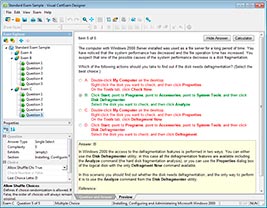
HOW TO OPEN VCE FILES
Use VCE Exam Simulator to open VCE files
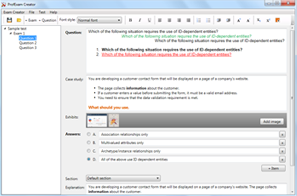
HOW TO OPEN VCEX FILES
Use ProfExam Simulator to open VCEX files
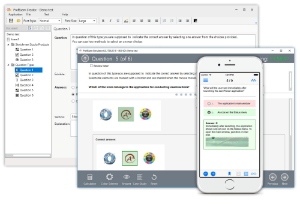
ProfExam at a 20% markdown
You have the opportunity to purchase ProfExam at a 20% reduced price
Get Now!